Direction on how to reize yor pictures in MS picture manager!!!
Ok Ladies. we all have this problem, so I am going to help.
1. You must have some sort of program to resize. Most everyone has microsoft picture manager.
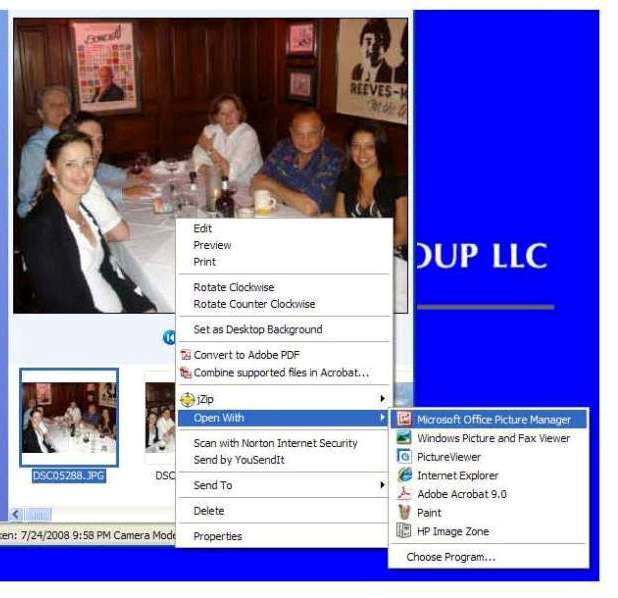
2. Find the photo on your computer
3. Right click on the photo. Choose 'open with'.
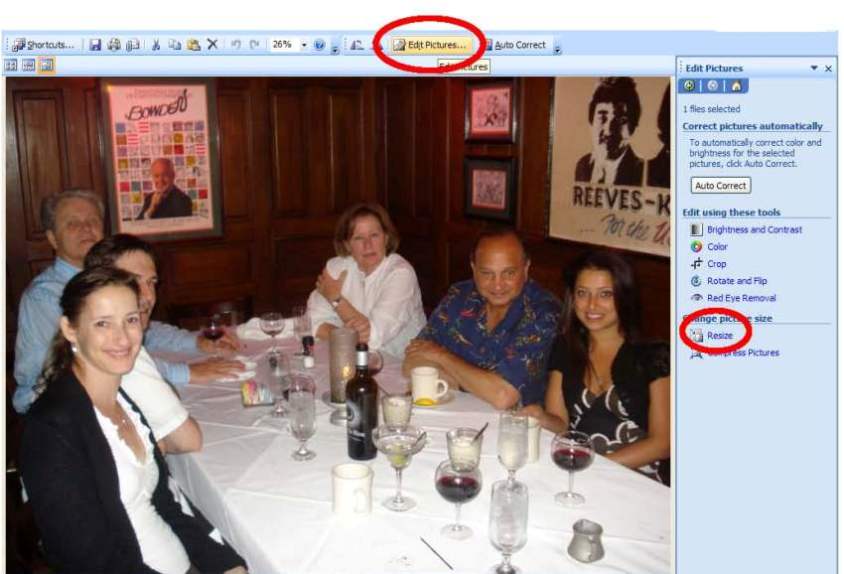
THIS IS THE FIRST PICTURE
4. Click on 'edit picture on top, then resize on the bottom right.
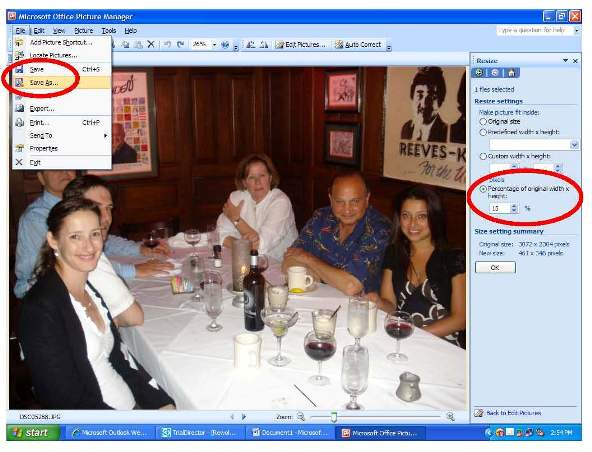
This is the second picture.
5. On resize make the picture size, like 15% of original.
--It depends on how big the picture is to begin with. If it comes from a high megapixel camera (8meg or higher) I start at 15%. If its a lower pixel camera, or the picture is small to begin with I start at 30 %.
Basically, you are trying to get the end product to be below 60kb. Thats the size LIW likes to upload.
AND DONT FORGET to ALWAYS 'save as'. If you dont 'save as' you will loose the quality of the original picture. Save as, basically, is making a copy of the original picture.
FM me with anyquestions.