
Member since
Let's post pics!

Member since
Re: Let's post pics!
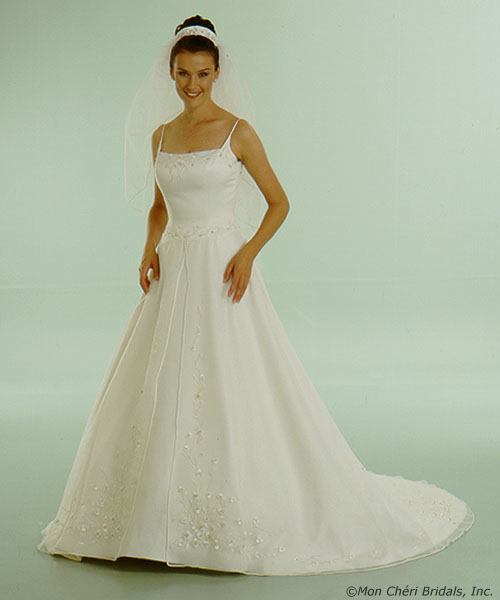
and my dress..... (not the headpiece, and it also comes with a shawl that's not pictured)
Member since
Re: Let's post pics!
Member since
Re: Very nice Teri
Member since
Re: Very nice Teri
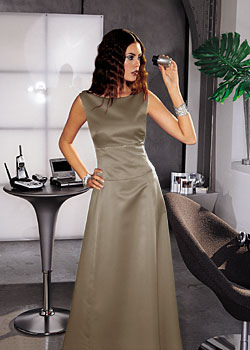
is that a dessy/after six dress? it looks like the same color as mine (mocha)!
Member since
octobergirl
Yep! It's by After Six in mocha. Do you have a pic of your BM dresses?
Member since
Re: Let's post pics!
teri where is your reception, it looks so nice
Member since
Re: Let's post pics!
Member since
Member since
Member since
Re: My gown
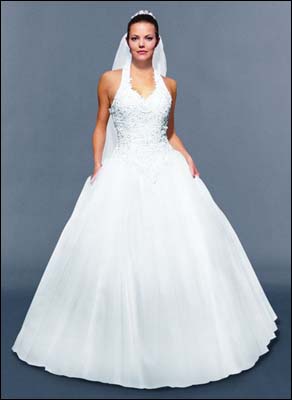
Member since
Re: octobergirl
how did you get the picture in your post?
Member since
Re: octobergirl
Once you save a pic on one of your drives, you hit the browse button and find the pic, then hit ok. Once you preview your post, you should see it. (assuming it's smaller than 50k)
Member since
Re: octobergirl
I tried again, and almost got it, but the picture was bigger than 50k! Any suggestions?
Member since
Re: octobergirl
Then you need to resize your pic to a smaller size. Depending on the program you use, you should be able to edit the image using the resizing or shrinking option.
Member since
x
x
Member since
x
x
Member since
x
x
Member since
my dress
 '>
'>
Member since
 '>
'>
