Post New Topic

just trying

Eli Posted:

just trying

sorry! trying to post a pic unsuccessfully!
palebride Posted:

Re: just trying

do you need help?
what can i do to help?
Eli Posted:

Re: just trying


thank you that is so nice of you!!!
OMG i am so bad at this stuff- i don't know if anyone can help!
ok tried on my dress, took pics with a new digital camera, loaded pics from the camera into my hard drive (i think!) but do not know how to find the file to attach below..... does that make sense? this might be a hopeless case but thank you anyway for your offer!! i will keep trying!
palebride Posted:

Re: just trying

mine shows up in 'my documents' under image transfers....and then it had a bunch of files you have to click through and then one with the date....and that's where the pictures are.
but that might not be your digital camera system.
hope that helps a little
good luck!!
PrincessRose Posted:

Re: just trying

Here's a thought - under the start menu should be a 'find files or folders' or search option. Click on that.

If you remember what you named the file, do a search for it. Otherwise, look under 'when was it modified' or something to that affect. How it's worded all depends on which version of Windows you're running, but the option wil definitely be under your start menu!

If you need any help, let me know!
Eli Posted:

Re: just trying

THANK YOU!!
i will try again!
Xelindrya Posted:

Re: just trying

Prehaps it's too large.
Try using the resizer first.. then having LIWeddings Helping Hand email you the pic resized. Save the new image as a different name, then attach to a post here.

Just a thought.
(The resizer button is up top on the same row as My Account, Mailbox, Logout, Search, Help, Rules & then Resizer)
palebride Posted:

Re: just trying

any luck?

Eli Posted:

Re: just trying

yes! thank you-when i get home tonight from work i am going to try again. liweddings emailed me the resized picture so i will try to attach that. all of this for a silly picture.....
thanks again so much!
palebride Posted:

Re: just trying

can't wait to see it!
another way to resize is to put them up on shutterfly (www.shutterfly.com) and then when you have the picture there, you right click on it and save it resized. the ones LIW resizes get a little small!
Eli Posted:

Re: just trying

ok lets see, hope it works! cannot believe it took me THIS long to figure it out! it's embarrassing!
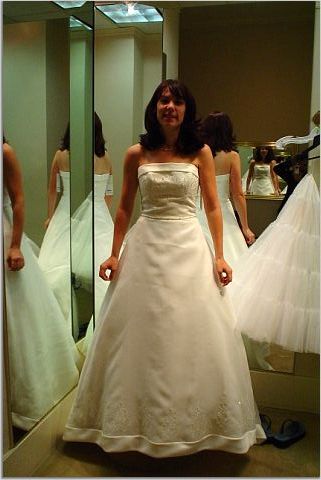
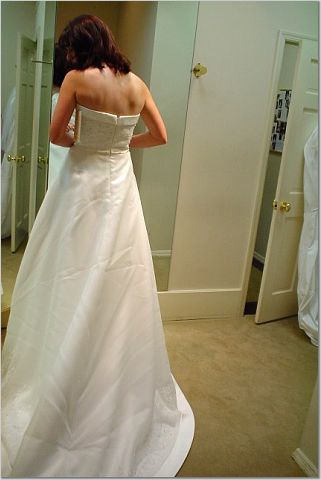
anyway, thanks for your help again. this is just a picture of me trying on my gown when it came in last week. it's now in storage for the next 9 months!please don't mind the ugly try on veil!!

OMG the picture is so small!!! LOL! maybe the shutterfly link will help???


http://www.shutterfly.com/view/pictures.jsp?aid=67b0de21b38cd4fca467
jlfp Posted:

Re: just trying

Liz, you look awesome, i am glad you got the camera to work! Jaymi
Eli Posted:

Re: just trying

Jaymi!
thank you! i had such a hard time with posting it took me like 2 days to figure it out! it's all new to me and i am SLOWLY learning....that camera is so great and my mom had a good time using it!
how are plans going for you guys???
thanks again!
KandB52904 Posted:

Re: just trying


very prety
palebride Posted:

Re: just trying

beautiful!!!

Reply to this topic

Log in to reply or quote a post.