Post New Topic

Monogram Accent Question

kbond06 Posted:

Monogram Accent Question

Hey,

I wanted to add some accents to my monograms and when I create a program etc... like accents for the corners but I don't know where to get them from. I only have powerpoint and word...I don't know if they have a particular name but its not a font.....and I don't see them in symbols or in my clipart.

Where can I find the little designs???

Thanks!
JodyLC Posted:

Re: Monogram Accent Question

do a search for free fonts... you can get fonts that are little designs

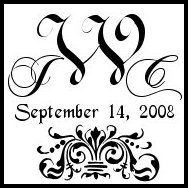
the flourish on my DIY tag is just a font
kbond06 Posted:

Re: Monogram Accent Question

ooh nice

wow I never knew that...THANKS!
Liana Posted:

Re: Monogram Accent Question


Posted by JodyLC

do a search for free fonts... you can get fonts that are little designs

the flourish on my DIY tag is just a font


Would you please tell us the name of your monogram font/s?

Thanks!
kbond06 Posted:

Re: Monogram Accent Question

I found some on this free site:

http://www.dafont.com/theme.php?cat=710&page=3

If anyone is interested (even though I made this post for a question haha)

most of the time I googled 'corner border fonts'

doristhebride Posted:

Re: Monogram Accent Question

omg!!!! YOU READ MY MIND!

I'm so excited cause I just found a bunch!

Flourishes
JodyLC Posted:

Re: Monogram Accent Question


Posted by Liana


Posted by JodyLC

do a search for free fonts... you can get fonts that are little designs

the flourish on my DIY tag is just a font


Would you please tell us the name of your monogram font/s?

Thanks!


JWC is Chopin Sccript

Date is ... Gessele I think..

Flourish is dESIGN 7 is the name of it

sorry it took me so long to answer you can FM me with questions
Liana Posted:

Re: Monogram Accent Question

Thank so much!

ZeppsGirl Posted:

Re: Monogram Accent Question

how do you upload fonts onto microsoft word once you have downloaded them from a site?
doristhebride Posted:

Re: Monogram Accent Question

Here's how I do it:

Click download and choose option to save on your desktop. They go to desktop, right click on file and select extract file. One file is extracted, right click on the extracted file icon and select INSTALL. One it finishes installing, go to word and look for font in the font drop menu by its name.

Let me know if you had issues with this.....

Reply to this topic

Log in to reply or quote a post.