Post New Topic

Monograms

madseason Posted:

Re: Monograms

ummm....

I went to ...
file
save as
when the box popped up under save type and dropped the menu and found.jpeg
then it askef if i wanted to save all of it..

i must resize!
ShanonandSteve Posted:

Re: Monograms

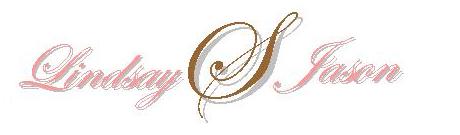
does this help...

i just copied it from your file and made it smaller..

madseason Posted:

Re: Monograms

i am severely computer illiterate!

Does it look like i have the jist of it???
ShanonandSteve Posted:

Re: Monograms

definetly.

now that you know how it works.. you can just play around with them until you make one (or two) that you like..

once you get the hang of using the program its easy.
madseason Posted:

Re: Monograms

YAY!!!

THANK YOU SOOOOOO MUCH!!!!!!!!!!!!!!!!!!!!
ShanonandSteve Posted:

Re: Monograms

no problem... have fun.. and if you run into any trouble FM me.. when I am actually on my computer with powerpoint I might be a better help.

nighty night work early in the morning tomorrow.
madseason Posted:

Re: Monograms

thank you sooo much agaiN! Im going to toy witht his tonite!

SOTHISISLOVE53109 Posted:

Re: Monograms

Question - i downloaded a font from dafont.com and it is saved on my desltop how do I know get it into Microsoft Powerpoint....help!

ShanonandSteve Posted:

Re: Monograms

you have to locate where it downloaded to and then move it to the font folder.. which can be found in the 'control panel' section.

SOTHISISLOVE53109 Posted:

Re: Monograms

Thanks I found what you were talking about but I'm on my work computer so it's only saving the font in a zip file so I can't put it in the font folder

Reply to this topic

Log in to reply or quote a post.