
Post New Topic

Question about making our own photos..
Lori-Chris2008 Posted:

Question about making our own photos..
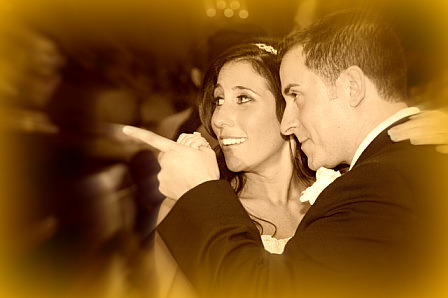
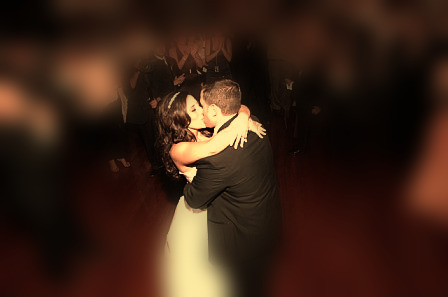
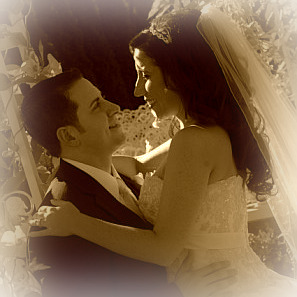
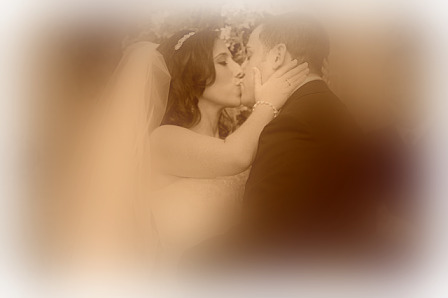
Ok so we are doing spring cleaning in our home.. on our wall in the living room we want to do three 10x20 square photos of us at the wedding but make them really cool look wise.. so far this is what i have been doing...

Now the only thing is when i go to order them in 10x20 it says that the resolution is not good so the print wont come out nice :(... help lol
mathteach Posted:

Re: Question about making our own photos..
are you by any chance using a mac? When I uploaded my pro pics onto my mac i-photo compressed the images and I would get the 'low resolution' message.

I ended up loading them onto my desktop pc and ordering pics from there.

Or if you used photoshop, you may not be saving them right.
Lori-Chris2008 Posted:

Re: Question about making our own photos..

Posted by mathteach

are you by any chance using a mac? When I uploaded my pro pics onto my mac i-photo compressed the images and I would get the 'low resolution' message.

I ended up loading them onto my desktop pc and ordering pics from there.

Or if you used photoshop, you may not be saving them right.


I actually use a mac but when i did these photos i did them at work hehehehe so there were done on a pc.

mathteach Posted:

Re: Question about making our own photos..

go into image - image adjustments - image size...change the resolution to 300 pixels/inch. Click 'resample image' and change the drop-down to bicubic smoother.

Make sure you change the file name just in case you mess up you will still have the original image.
Lori-Chris2008 Posted:

Re: Question about making our own photos..


Posted by mathteach

go into image - image adjustments - image size...change the resolution to 300 pixels/inch. Click 'resample image' and change the drop-down to bicubic smoother.

Make sure you change the file name just in case you mess up you will still have the original image.


THANKS!!!!! I will def be doing this all day at work now hehehehe shhhh lol
Lori-Chris2008 Posted:

Re: Question about making our own photos..


Posted by mathteach

go into image - image adjustments - image size...change the resolution to 300 pixels/inch. Click 'resample image' and change the drop-down to bicubic smoother.

Make sure you change the file name just in case you mess up you will still have the original image.


Ok you mean go into image on my pc and hit edit image right? for somer eason its not giving me the option under image for image adjustments.. ? what program should I open the image with?
mathteach Posted:

Re: Question about making our own photos..


Posted by Lori-Chris2008


Posted by mathteach

go into image - image adjustments - image size...change the resolution to 300 pixels/inch. Click 'resample image' and change the drop-down to bicubic smoother.

Make sure you change the file name just in case you mess up you will still have the original image.


Ok you mean go into image on my pc and hit edit image right? for somer eason its not giving me the option under image for image adjustments.. ? what program should I open the image with?


open the pic back in photoshop.
Lori-Chris2008 Posted:

Re: Question about making our own photos..


Posted by mathteach


Posted by Lori-Chris2008


Posted by mathteach

go into image - image adjustments - image size...change the resolution to 300 pixels/inch. Click 'resample image' and change the drop-down to bicubic smoother.

Make sure you change the file name just in case you mess up you will still have the original image.


Ok you mean go into image on my pc and hit edit image right? for somer eason its not giving me the option under image for image adjustments.. ? what program should I open the image with?


open the pic back in photoshop.


I did not use photoshop.. I prob should redo them though..

I actually used a site called picnick.com.....
mathteach Posted:

Re: Question about making our own photos..


Posted by Lori-Chris2008


Posted by mathteach


Posted by Lori-Chris2008


Posted by mathteach

go into image - image adjustments - image size...change the resolution to 300 pixels/inch. Click 'resample image' and change the drop-down to bicubic smoother.

Make sure you change the file name just in case you mess up you will still have the original image.


Ok you mean go into image on my pc and hit edit image right? for somer eason its not giving me the option under image for image adjustments.. ? what program should I open the image with?


open the pic back in photoshop.


I did not use photoshop.. I prob should redo them though..

I actually used a site called picnick.com.....


ohhhh...do a test. Go to any photo website and try to order an unaltered photo. See if you get that same message. If you did, you do not have hi-res photos. Take the pic from the orig disc the photog gave you.

If you can order the pic without the error message then either a. you uploaded them into iphoto and then sent yourself the pic at work which compressed the image or b. have someone who knows how to use ps do it for you.

Let me know if you need help.

Reply to this topic

Log in to reply or quote a post.