


Wedding Forums > Brides Helping Brides ™ > Picture Post
Picture Post
OctRo05
Posted: May 25, 2005 08:43 AM+

Posted: May 25, 2005 08:43 AM

Picture Post
How do you attach a photo to a post topic?TIA
LM903
Posted: May 25, 2005 11:14 AM+
Re: Picture Post
hit 'reply' - then scroll down and you will see a section underneath the box you type your post into. It says 'attach images' and then there are 'browse' icons to the right. Click 'browse', locate where the photo that you would like to post is saved on your computer, then click 'open'. That should attach the image to the post.You may want to click the 'preview' botton, also underneath the text box to make sure the image appears within the post. Sometimes if an image is too large, it will not appear.
I hope this helps

cutie@chateau briand
Posted: May 25, 2005 11:53 AM+
Posted: May 25, 2005 11:53 AM
what do u ladies think of this dress 4 bms?







Welcome New Vendors
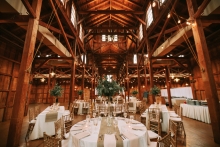
- The Barn At Old Bethpage Discover the charm a...
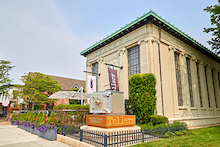
- Tellers: An American Chophouse Celebrate Your Love ...
- Cup Of Tea Creative Unique Wedding Gifts...

- Speeches for Milestones The Big Day Has Arri...

- Long Island Bridal Expo Connecting Brides & ...

- 1 More Rep 1 More Rep: Elite Fi...

- Bellport Inn The Bellport Inn –...

- Fiddlers Dream Music Experience the Music...

- Havana Central Celebrate Your Weddi...

- Primerica Nelida Flynn Primerica Nelida Fly...

- Acetra Affairs Here at Acetra Affai...

- The Crushed Olive Discover Culinary Ex...